Per-instance MCP server
Every iOS and Android instance runs its own Model Context Protocol server. Connect an agent to it when the agent should drive one existing device through native tool calls instead of shelling out to the lim CLI.
- One server per instance. The instance returns its MCP URL once it is ready. For one organization-level endpoint that also creates and deletes instances, use the remote MCP server instead.
- Auth uses the instance token. Pass
status.tokenas anAuthorization: Bearerheader, not your API key. - The tools cover device control. Screenshots, taps, app lifecycle, and logs. Builds and asset uploads stay on the CLI.
Choose the CLI, MCP, or both
| Aspect | lim CLI | Per-instance MCP server |
|---|---|---|
| Where it runs | The agent's shell | The agent's MCP client transport |
| Auth | API key in the environment or config, or a single pinned instance with no key | The instance token as Authorization: Bearer |
| Connection | A background WebSocket that repeated commands reuse (--daemon, on by default), or one started explicitly with lim session start | A long-lived MCP session |
| Scope | Everything Limrun does. See the CLI reference. | Device control only: five tools on iOS and three on Android, listed below. No builds, no asset uploads. |
| Best for | Builds, instance lifecycle, asset management | Tap, screenshot, and element-tree loops where round-trips matter |
Most agents use both: the CLI for provisioning, builds, and assets, and MCP for native tool calls over device control.
Get the MCP URL and token
Read mcpUrl and token from the instance's status. Both come back on the same response, and you need both to talk to the server. The CLI example reads an instance you already have; the SDK examples create one, or reuse one with the same labels:
lim ios get --json | jq -r '.status.mcpUrl, .status.token'import Limrun from '@limrun/api';
const lim = new Limrun({ apiKey: process.env['LIM_API_KEY'] });
const instance = await lim.iosInstances.create({
wait: true,
reuseIfExists: true,
metadata: { labels: { name: 'agent-session' } },
});
console.log(instance.status.mcpUrl);
console.log(instance.status.token); // bearer for the Authorization headerfrom limrun_api import Limrun
client = Limrun()
instance = client.ios_instances.create(
wait=True,
reuse_if_exists=True,
metadata={"labels": {"name": "agent-session"}},
)
print(instance.status.mcp_url)
print(instance.status.token) # bearer for the Authorization headerclient := limrun.NewClient()
inst, _ := client.IosInstances.New(ctx, limrun.IosInstanceNewParams{
Wait: param.NewOpt(true),
ReuseIfExists: param.NewOpt(true),
Metadata: limrun.IosInstanceNewParamsMetadata{
Labels: map[string]string{"name": "agent-session"},
},
})
fmt.Println(inst.Status.McpURL)
fmt.Println(inst.Status.Token) // bearer for the Authorization headerCLI only: lim ios get reads the last iOS instance the CLI created; pass an instance ID (lim ios get <id> --json) to read another one.
Android instances return mcpUrl the same way (not exposed in Go SDK v0.9.0).
The URL carries no credentials. Authenticate every MCP request with the instance token in an Authorization: Bearer header. The token is scoped to this one instance: it works only while the instance is running and cannot be used for anything outside it. Do not use your API key here; the API key is for creating, listing, and deleting instances.
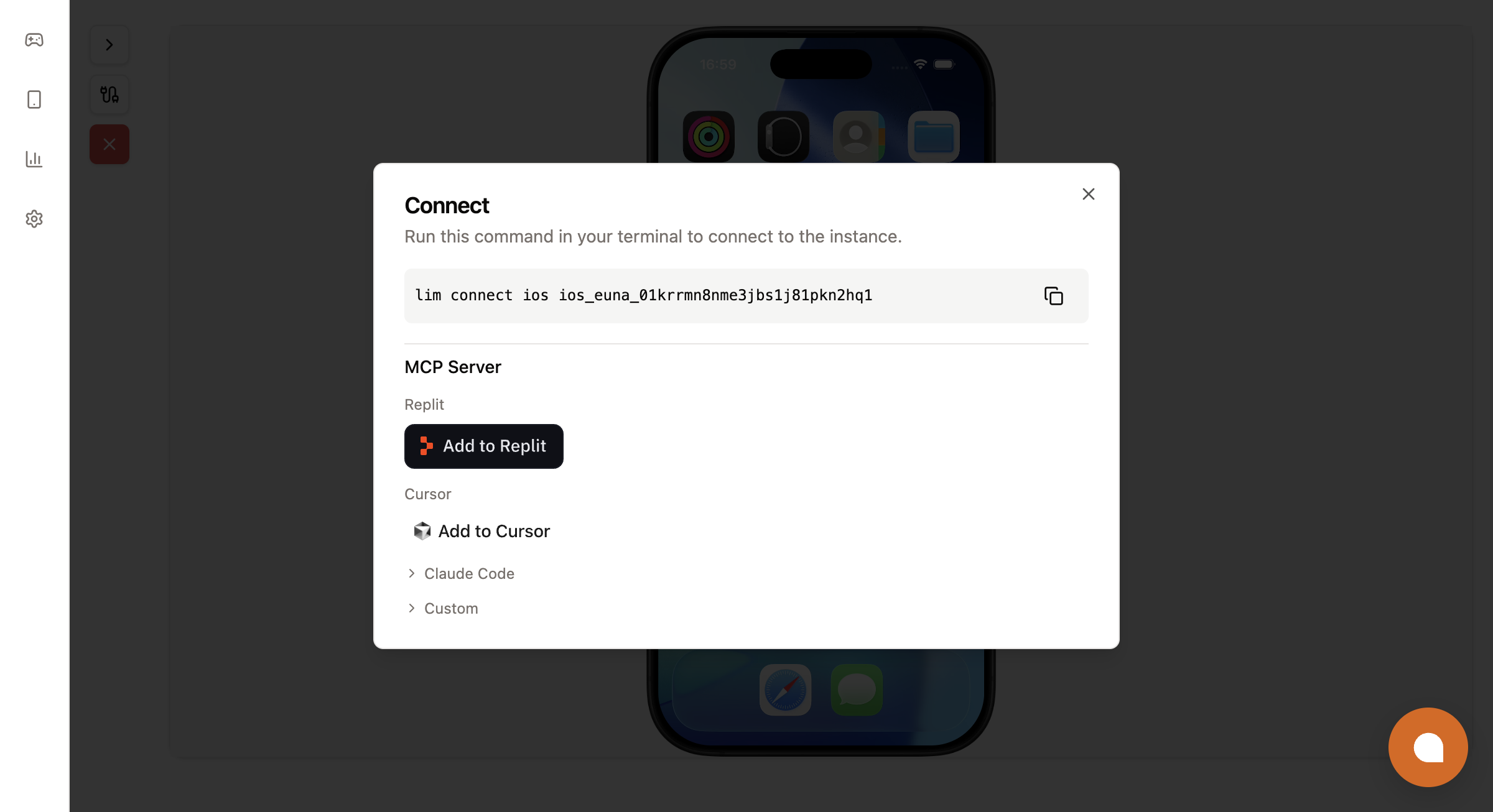
For a running instance, the console at console.limrun.com gives copy-paste snippets for each supported agent. Open the instance and click the connect icon in the sidebar:
Connect your agent
Claude Code
Add the server with the two values from the create response:
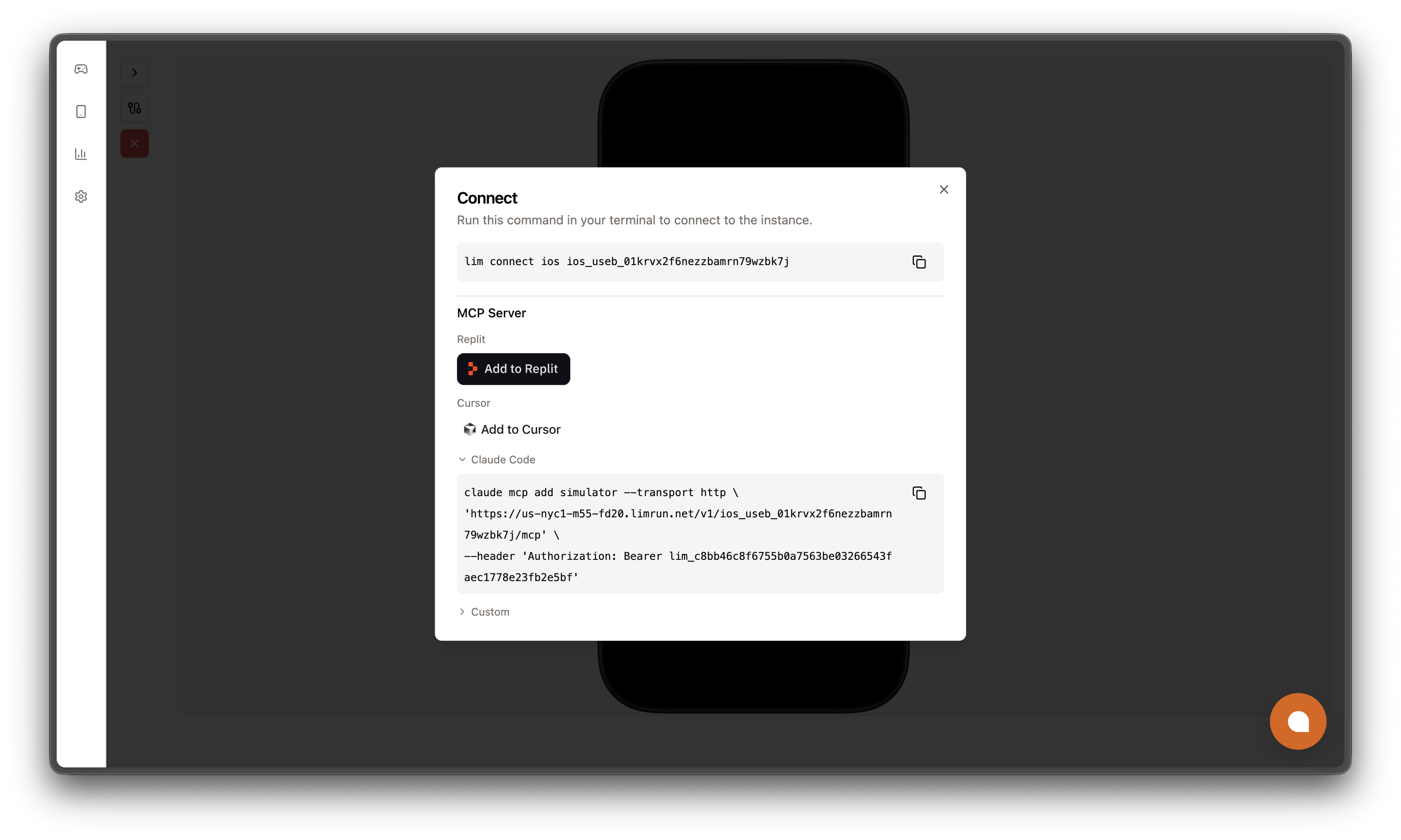
claude mcp add simulator --transport http \
  '<mcpUrl>' \
  --header 'Authorization: Bearer <status.token>'
Verify it with claude mcp list. The console's connect modal renders the same command with your values filled in:
Claude Desktop
To use Limrun from Claude Desktop, add the remote MCP server as a custom connector in its settings. The remote server signs in with OAuth, so it needs no custom header. The per-instance server needs an Authorization header, so use it only from clients that let you set one.
Cursor
The console's Add to Cursor button opens Cursor with the server pre-filled. To add it by hand, create an MCP server in Cursor's settings with the URL and the Authorization: Bearer <status.token> header.
Other MCP clients
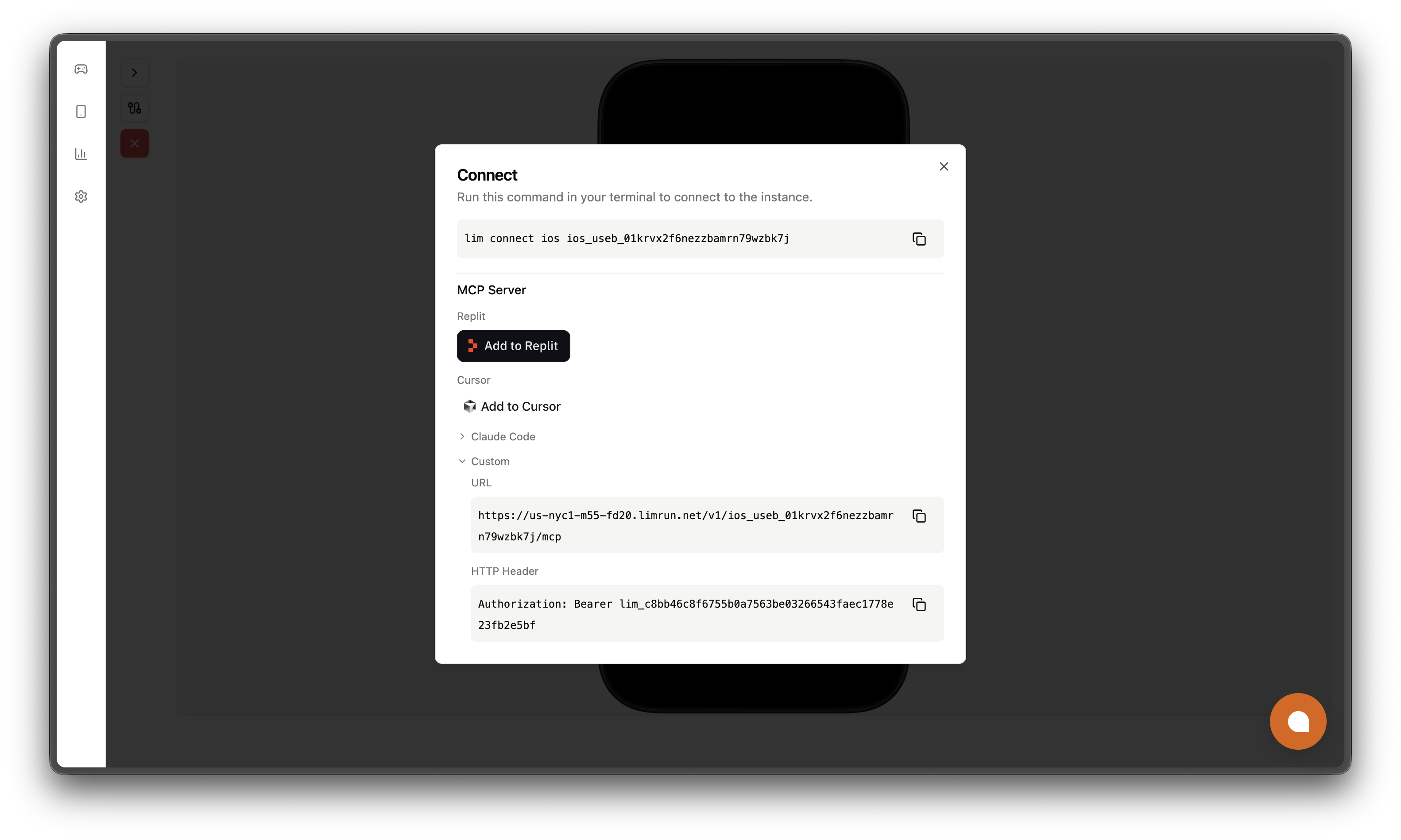
Any MCP client that speaks the HTTP transport works. Pass the URL as the endpoint and Authorization: Bearer <status.token> as a header. The connect modal's Custom section shows both values:
Tools
The server's tools depend on the platform. An iOS simulator's server exposes five tools:
| Tool | What it does |
|---|---|
ios-screenshot-and-element-tree | Returns the current screenshot and the accessibility element tree in one call. Call it before every action to see the current state. |
ios-use | Performs a batch of actions in order. Action kinds: tap, tapElement, setElementValue, incrementElement, decrementElement, type, pressKey, scroll, wait, toggleKeyboard, openUrl, setOrientation, touchDown, touchMove, touchUp, keyDown, keyUp, buttonDown, buttonUp, deviceInfo, startRecording, stopRecording, discoverStoreKitConfig, clearStoreKitConfig, softReset. |
ios-open-url | Opens a URL or deep link in the simulator, including Safari URLs and custom schemes such as exp:// for Expo Go. |
ios-app | Lists installed apps and launches or terminates them. It does not install apps; use the CLI or SDKs for installs. |
ios-logs | Fetches the last N combined stdout and stderr log lines for a bundle ID. |
An Android emulator's server exposes three:
| Tool | What it does |
|---|---|
android-screenshot-and-element-tree | Returns the current screenshot and the UIAutomator element tree in one call. |
android-use | Performs a batch of actions on the emulator in order. |
android-open-url | Opens a URL or deep link on the emulator. |
The actions inside ios-use map onto methods of the TypeScript SDK's createInstanceClient. The server batches them into a few tools instead of one tool per action, so the agent can group related steps into one round-trip.
touchDown, touchMove, and touchUp accept optional x2 and y2 coordinates for a second finger. Supply both on every touch action of a two-finger gesture, or omit both for one finger. Both fingers share the optional screenWidth and screenHeight coordinate space.
A tapElement action whose selector matches nothing fails in about a second and aborts the batch. iOS creates list rows lazily, so a row below the fold is often absent from the tree. When you expect that, put scroll actions before the tapElement in the same batch.
App installs, Xcode builds, and asset uploads are not on the server. MCP gives a tool no access to the client's filesystem, so anything that sends bytes from your machine (an APK, a .app bundle, a build artifact) lives on the CLI and SDKs.
Next steps
Was this guide helpful?