# Run an iOS Simulator
URL: /docs/ios/run-simulator
LLM index: /llms.txt
Description: Drive a running iOS simulator from code or shell: taps, typing, screenshots, recordings, app lifecycle, logs, and reverse tunnels.
# Run an iOS Simulator
Your iOS instance is `ready`. For provisioning, see the [Quickstart](/docs/quickstart); for builds, see [Build with remote Xcode](/docs/ios/build-with-xcode).
## Connect to your instance
Open a WebSocket client to drive the instance.
- **TypeScript** covers the full device-control surface (every method on this page).
- **Go** covers most of the same methods. See the [SDK capability matrix](/docs/reference#sdk-capability-matrix) for the exact list.
- **Python** only ships the control plane (create, list, delete instances). For taps, screenshots, and other device actions from Python, drive the device through the CLI or raw REST.
```ts
import { Ios } from '@limrun/api';
const client = await Ios.createInstanceClient({
apiUrl: instance.status.apiUrl!,
token: instance.status.token,
logLevel: 'info', // 'none' | 'error' | 'warn' | 'info' | 'debug'
});
console.log('UDID:', client.deviceInfo.udid);
console.log('Screen:', client.deviceInfo.screenWidth, client.deviceInfo.screenHeight);
```
```go
import (
"context"
limrun "github.com/limrun-inc/go-sdk"
"github.com/limrun-inc/go-sdk/option"
iosws "github.com/limrun-inc/go-sdk/websocket/ios"
)
lim := limrun.NewClient(option.WithAPIKey(os.Getenv("LIM_API_KEY")))
inst, _ := lim.IosInstances.New(ctx, limrun.IosInstanceNewParams{
Wait: param.NewOpt(true),
ReuseIfExists: param.NewOpt(true),
})
client, err := iosws.NewClient(inst.Status.APIURL, inst.Status.Token)
if err != nil { panic(err) }
defer client.Close()
```
Or from the CLI:
```bash
# The CLI maintains its own connection per command. No explicit client step.
lim ios screenshot ./out.png
```
The TypeScript and Go clients initialize differently:
- **TypeScript**: `Ios.createInstanceClient(...)` returns once the WebSocket is open and `client.deviceInfo` is populated.
- **Go**: `iosws.NewClient(...)` returns immediately; the first device call blocks until the WebSocket opens.
### Where the URLs come from
The instance status carries everything you need:
| Status field | Use |
|---|---|
| `apiUrl` | HTTP base for the device daemon. Pass to the control client. |
| `token` | Per-instance bearer for `apiUrl`, `endpointWebSocketUrl`, and `sandbox.xcode.url`. Embedded in `signedStreamUrl`. |
| `endpointWebSocketUrl` | WebSocket endpoint for the [`` web component](/docs/platform/embed-simulator) (pass with `?token=`). |
| `signedStreamUrl` | Console-hosted watch URL with the token embedded; open in a browser without your API key. |
| `mcpUrl` | Per-instance MCP HTTP endpoint. Auth with the per-instance `status.token`, not your org API key. See [MCP](/docs/agents/mcp). |
| `sandbox.xcode.url` | Xcode sandbox API URL (only when `spec.sandbox.xcode.enabled: true`). |
| `targetHttpPortUrlPrefix` | Reverse-proxy prefix for tunneled HTTP ports on the device. |
| `state` | `unknown` → `creating` → `assigned` → `ready` → `terminated`. |
## Read the screen
Before any action, read what's actually on the screen. The element tree is the source of truth for what's interactable; the screenshot is the fastest visual sanity check.
```ts
const tree = await client.elementTree();
// tree: ElementTreeNode[] (recursive accessibility hierarchy)
// fields per node: AXLabel, AXUniqueId, AXValue, role, type, title, traits, frame, children
const shot = await client.screenshot();
// { base64: string, width: number, height: number }
```
```go
treeJSON, err := client.ElementTree(ctx, nil) // raw JSON; parse with encoding/json
shot, err := client.Screenshot(ctx) // shot.Base64, shot.Width, shot.Height
```
Or from the CLI:
```bash
lim ios element-tree
lim ios element-tree --json | jq '.[] | select(.AXLabel == "Continue")'
lim ios screenshot ./out.png
```
Screenshot dimensions are in *points*, the same coordinate space as `tap(x, y)`. If you want to tap based on a coordinate in a screenshot's pixel space (e.g. when the screenshot was scaled), use `tapWithScreenSize`:
```ts
await client.tapWithScreenSize(x, y, screenshotWidth, screenshotHeight);
```
## Tap
Prefer accessibility selectors. They survive layout changes; coordinates don't.
```ts
// By accessibility identifier (most stable)
await client.tapElement({ AXUniqueId: 'startButton' });
// By label
await client.tapElement({ AXLabel: 'Save' });
// By label contains (case-insensitive)
await client.tapElement({ AXLabelContains: 'continue' });
// By type + label
await client.tapElement({ type: 'Button', AXLabel: 'Done' });
// By coordinates (last resort)
await client.tap(201, 450);
```
```go
// Selector field names differ slightly from TypeScript:
// AccessibilityID, Label, LabelContains, ElementType, Title, TitleContains, Value
_, err := client.TapElement(ctx, iosws.AccessibilitySelector{
AccessibilityID: "startButton",
})
_, err = client.TapElement(ctx, iosws.AccessibilitySelector{
Label: "Save",
})
_, err = client.TapElement(ctx, iosws.AccessibilitySelector{
ElementType: "Button",
Label: "Done",
})
err = client.Tap(ctx, 201, 450)
```
Or from the CLI:
```bash
lim ios tap-element --ax-unique-id startButton
lim ios tap-element --ax-label "Save"
lim ios tap-element --ax-label-contains continue
lim ios tap-element --type Button --ax-label "Done"
lim ios tap 201 450
```
`AccessibilitySelector` accepts `AXUniqueId`, `AXLabel`, `AXLabelContains`, `type`, `title`, `titleContains`, and `AXValue` (TypeScript field names; Go uses `AccessibilityID`, `Label`, `LabelContains`, `ElementType`, `Title`, `TitleContains`, and `Value` for the same fields). All non-empty fields must match (AND, not OR).
### Steppers, sliders, and text values
For controls that aren't tapped but adjusted, use the element-targeted variants:
```ts
await client.incrementElement({ AXLabel: 'Volume' });
await client.decrementElement({ AXLabel: 'Volume' });
await client.setElementValue('42', { AXLabel: 'Count' }); // faster than typing char-by-char
```
## Type and press keys
Type into the currently focused field, press individual keys with optional modifiers, or toggle the on-screen keyboard. `toggleKeyboard` is the equivalent of pressing ⌘K in the simulator.
```ts
await client.typeText('hello world'); // types into focused field
await client.typeText('email@example.com', true); // pressEnter = true
await client.pressKey('enter');
await client.pressKey('a', ['shift']); // modifiers: shift, command, control, alt
await client.toggleKeyboard();
```
```go
err := client.TypeText(ctx, "hello world", false)
err = client.TypeText(ctx, "email@example.com", true) // pressEnter
err = client.PressKey(ctx, "enter")
err = client.PressKey(ctx, "a", "shift")
// toggleKeyboard is TypeScript-only today.
```
Or from the CLI:
```bash
lim ios type "hello world" --enter
lim ios press-key enter --modifier shift
lim ios toggle-keyboard
```
## Scroll and orientation
`scroll` is a finger-swipe gesture. `pixels` is the gesture distance in points; `coordinate` (TS only) defaults to the screen center; `momentum` (0.0-1.0) controls fling decay. `setOrientation` flips the device between portrait and landscape.
```ts
await client.scroll('down', 300);
await client.scroll('up', 300, { coordinate: [200, 400], momentum: 0.4 });
await client.setOrientation('Portrait');
await client.setOrientation('Landscape');
```
Or from the CLI:
```bash
lim ios scroll down --amount 300
```
## Open URLs and deep links
`openUrl` works for both web URLs and registered deep-link schemes.
```ts
await client.openUrl('https://apple.com'); // opens in Safari
await client.openUrl('myapp://orders/42'); // deep link into your app
```
Or from the CLI:
```bash
lim ios open-url "myapp://orders/42"
```
## Run a batch of actions
When a sequence shouldn't have a round-trip between each step, use `performActions`. The server runs the whole batch inside the pod, stops on the first failure, and reports per-action results. This is the pattern agents reach for once they're driving anything more than a single tap.
```ts
const result = await client.performActions(
[
{ type: 'tapElement', selector: { AXLabel: 'Continue' } },
{ type: 'wait', durationMs: 500 },
{ type: 'typeText', text: 'hello', pressEnter: true },
{ type: 'scroll', direction: 'down', pixels: 300 },
{ type: 'pressKey', key: 'enter' },
],
{ timeoutMs: 10_000 },
);
// result.results is per-action
```
Or from the CLI:
```bash
lim ios perform \
--action 'type=tapElement,selector={"AXLabel":"Continue"}' \
--action type=wait,durationMs=500 \
--action "type=typeText,text=hello,pressEnter=true"
```
Action `type` values:
- **High-level (one-to-one with the single-action methods):** `tap`, `tapElement`, `incrementElement`, `decrementElement`, `setElementValue`, `typeText`, `pressKey`, `scroll`, `toggleKeyboard`, `openUrl`, `setOrientation`, `wait`.
- **Raw HID (for custom gestures):** `touchDown`, `touchMove`, `touchUp`, `keyDown`, `keyUp`, `buttonDown`, `buttonUp`.
Hardware `button` values: `home`, `lock`, `side`, `applePay`, `softwareKeyboard`.
### Multi-touch and custom gestures
The raw HID primitives let you build gestures with precise timing. Pair `touchDown` + `touchMove` + `touchUp` with `wait` actions to simulate long-presses, flings with custom inertia, or anything the higher-level `scroll` doesn't cover:
```ts
const cx = client.deviceInfo.screenWidth / 2;
const startY = 600;
const endY = 200;
await client.performActions([
{ type: 'touchDown', x: cx, y: startY },
{ type: 'wait', durationMs: 30 },
{ type: 'touchMove', x: cx, y: startY - 100 },
{ type: 'touchMove', x: cx, y: startY - 200 },
{ type: 'touchMove', x: cx, y: endY },
{ type: 'touchUp', x: cx, y: endY },
]);
```
## Install, launch, and terminate apps
Install from a URL or local file, launch by bundle ID, terminate when you're done. `listApps` enumerates what's already on the device, system apps included.
```ts
const apps = await client.listApps();
// [{ bundleId, name, installType }, ...]
await client.launchApp('com.example.MyApp');
await client.launchApp('com.example.MyApp', 'RelaunchIfRunning');
await client.terminateApp('com.example.MyApp');
// Install from a URL (md5 enables server-side caching)
await client.installApp('https://...build.zip', {
md5: '...',
timeoutMs: 120_000,
launchMode: 'ForegroundIfRunning',
});
```
```go
apps, err := client.ListApps(ctx)
// []InstalledApp{ BundleID, Name, InstallType }
err = client.LaunchApp(ctx, "com.example.MyApp")
result, err := client.InstallApp(ctx, "https://...build.zip", &iosws.AppInstallationOptions{
MD5: "...",
LaunchMode: "ForegroundIfRunning",
})
// terminate-app is TypeScript-only today; fall back to `lim ios terminate-app` or REST.
```
Or from the CLI:
```bash
lim ios list-apps
lim ios launch-app com.example.MyApp --mode RelaunchIfRunning
lim ios terminate-app com.example.MyApp
lim ios install-app ./MyApp.app.zip
lim ios install-app https://... --md5 abc... --launch-mode ForegroundIfRunning
```
### Reset app data between runs
Between test cases or scenario reruns, wipe the app's data container and relaunch it. Faster than uninstalling and reinstalling.
```ts
await client.softReset('com.example.MyApp'); // strategy: 'data' (default)
await client.softReset('com.example.MyApp', { strategy: 'full' }); // also clears caches, keychain, and privacy grants
// returns: { strategy, bundleId, itemsCleared?, durationMs }
```
## Read app logs
Tail the last N lines once, or stream live. The stream emits one `line` event per log line (batched ~500ms server-side), plus `error` and `close`.
```ts
// One-shot tail
const tail = await client.appLogTail('com.example.MyApp', 200);
// Stream live
const stream = client.streamAppLog('com.example.MyApp');
stream.on('line', (line) => console.log(line));
stream.on('error', console.error);
stream.on('close', () => console.log('stream closed'));
stream.stop(); // unsubscribe when done
```
Or from the CLI:
```bash
lim ios app-log com.example.MyApp --tail 200
lim ios app-log com.example.MyApp --follow
```
## Record a video
Recordings run server-side. `quality` accepts the integers `5` through `10`; the server default is `5`. Save to a local file, hand the bytes to a presigned URL, or both.
```ts
await client.startRecording({ quality: 5 });
// ... drive the UI ...
const downloadUrl = await client.stopRecording({ localPath: '/tmp/demo.mp4' });
// or:
await client.stopRecording({ presignedUrl: '' });
```
Or from the CLI:
```bash
lim ios record start --quality 5
# ... drive the UI ...
lim ios record stop -o /tmp/demo.mp4
# or upload directly:
lim ios record stop --presigned-url ""
```
## Reverse-tunnel a local service
Expose a TCP service on your machine to the simulator. Use it for anything the app inside the simulator needs to call into: a mock backend, a debug proxy, a test runner, or a local Expo dev server so a React Native app on the remote simulator can hot-reload from your laptop without a public tunnel.
```ts
const tunnel = await client.startReverseTunnel({
remotePort: 57090, // must be in 57090..57099
localPort: 4000, // defaults to remotePort
localHost: '127.0.0.1',
});
// The simulator can now reach this service at 127.0.0.1:57090
// tunnel.close() to tear it down
```
Or from the CLI:
```bash
lim ios reverse 57090:4000 # expose local :4000 as simulator :57090
lim ios reverse 57091 --local-host 0.0.0.0
```
The remote port must be in **57090-57099**. That range is reserved for tunneled services. Tooling that picks its own port (the canonical `expo start` CLI defaults to `8081`, for example) needs the port made configurable before the tunnel works; the [Expo PR-preview Action](https://github.com/limrun-inc/ios-preview-action) wraps full app builds instead of dev-server hot-reload, so it doesn't go through this path.
## Drop into macOS dev tools
When the high-level API doesn't cover what you need, the instance exposes a small set of macOS dev tools as escape hatches.
```ts
// Streaming simctl
const exec = client.simctl(['listapps', 'booted']);
exec.on('line-stdout', (line) => console.log(line));
exec.on('line-stderr', (line) => console.error(line));
const { code } = await exec.wait();
// One-shot xcrun (limited to --sdk / --show-* flags)
const { stdout } = await client.xcrun(['--sdk', 'iphonesimulator', '--show-sdk-version']);
// xcodebuild version only
await client.xcodebuild(['-version']);
// Upload a file to the simulator sandbox (returns the in-sandbox path)
const remotePath = await client.cp('config.json', '/local/path/to/config.json');
// Inspect open UNIX sockets
const sockets = await client.lsof();
```
```go
// simctl mirrors os/exec.Cmd; pipe to your own writers or buffer the output.
cmd := client.Simctl(ctx, "listapps", "booted")
cmd.Stdout = os.Stdout
cmd.Stderr = os.Stderr
if err := cmd.Run(); err != nil { panic(err) }
// Inspect open UNIX sockets
sockets, err := client.Lsof(ctx)
// xcrun, xcodebuild, and cp are TypeScript-only today.
```
Or from the CLI:
```bash
lim ios simctl -- listapps booted
lim ios xcrun -- --sdk iphonesimulator --show-sdk-version
lim ios cp config.json /local/path/to/config.json
lim ios lsof
```
## Reuse and clean up instances
Each iOS instance is single-tenant. Only one client should drive it at a time, so scope instances per user, per PR, or per session with labels. `reuseIfExists` returns the same instance on the next call with the same labels, which keeps a long-running agent on one warm pod instead of churning through fresh ones.
The pattern matters when a platform integrator triggers `create` from a UI action: without `reuseIfExists`, a tight loop on the user's side fans out into hundreds of instances (and a real-world bill). With it, repeated clicks settle on the same warm pod.
```ts
// Reuse the same instance for the same session across multiple agent runs
const instance = await lim.iosInstances.create({
wait: true,
reuseIfExists: true,
metadata: { labels: { session: sessionId, user: userId } },
});
```
Tear down explicitly when you're done:
```ts
await lim.iosInstances.delete(instance.metadata.id);
```
```bash
lim ios delete # or `lim ios delete` for the last-created
```
Or clean up by label selector:
```ts
const stale = await lim.iosInstances.list({ labelSelector: `user=${userId}`, state: 'ready' });
for await (const inst of stale) {
await lim.iosInstances.delete(inst.metadata.id);
}
```
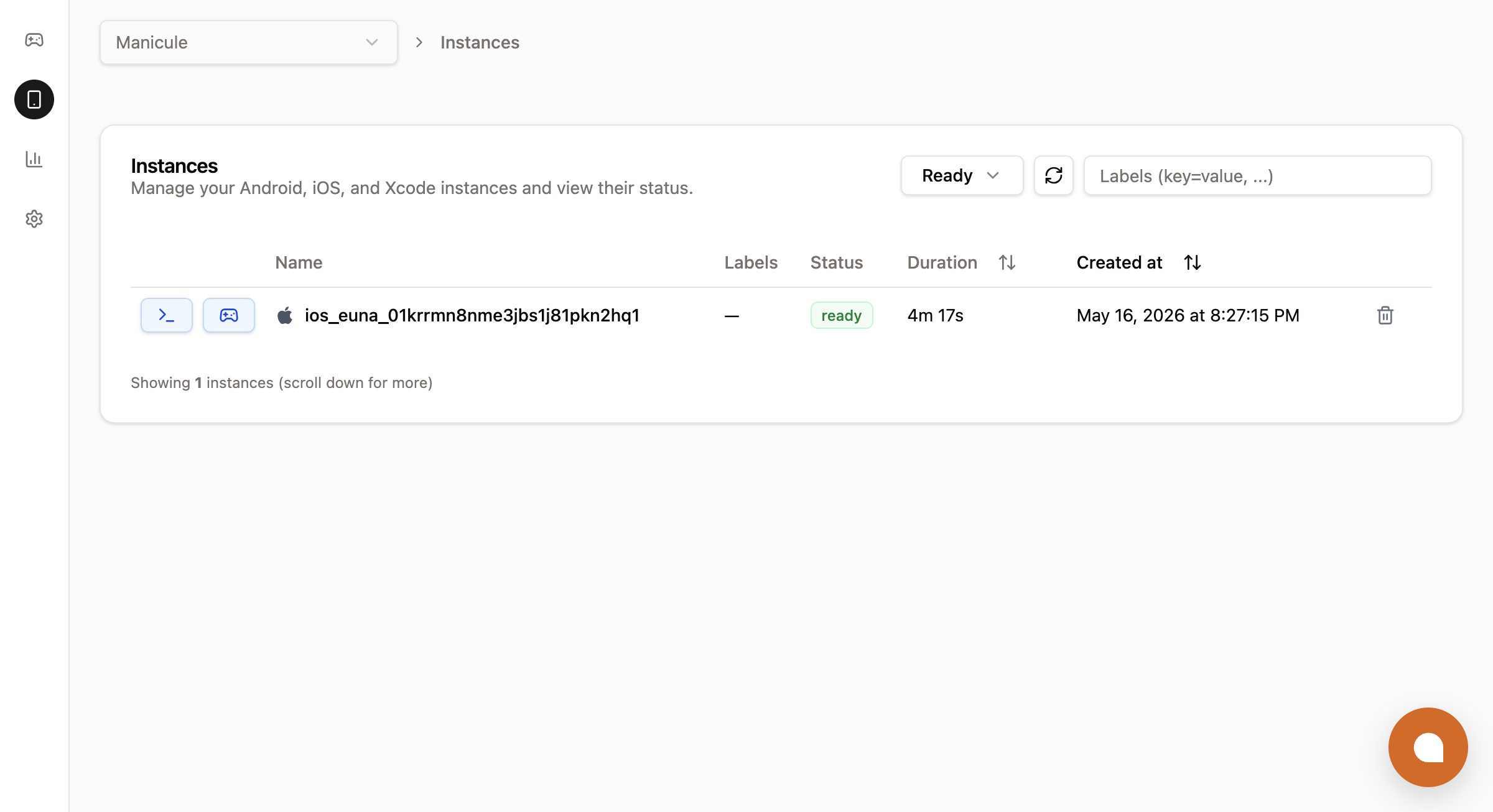
The console's **Instances** tab shows the same data in a UI. Filter by state, filter by label selector, sort by duration or created-at, and re-attach to any ready instance with one click:
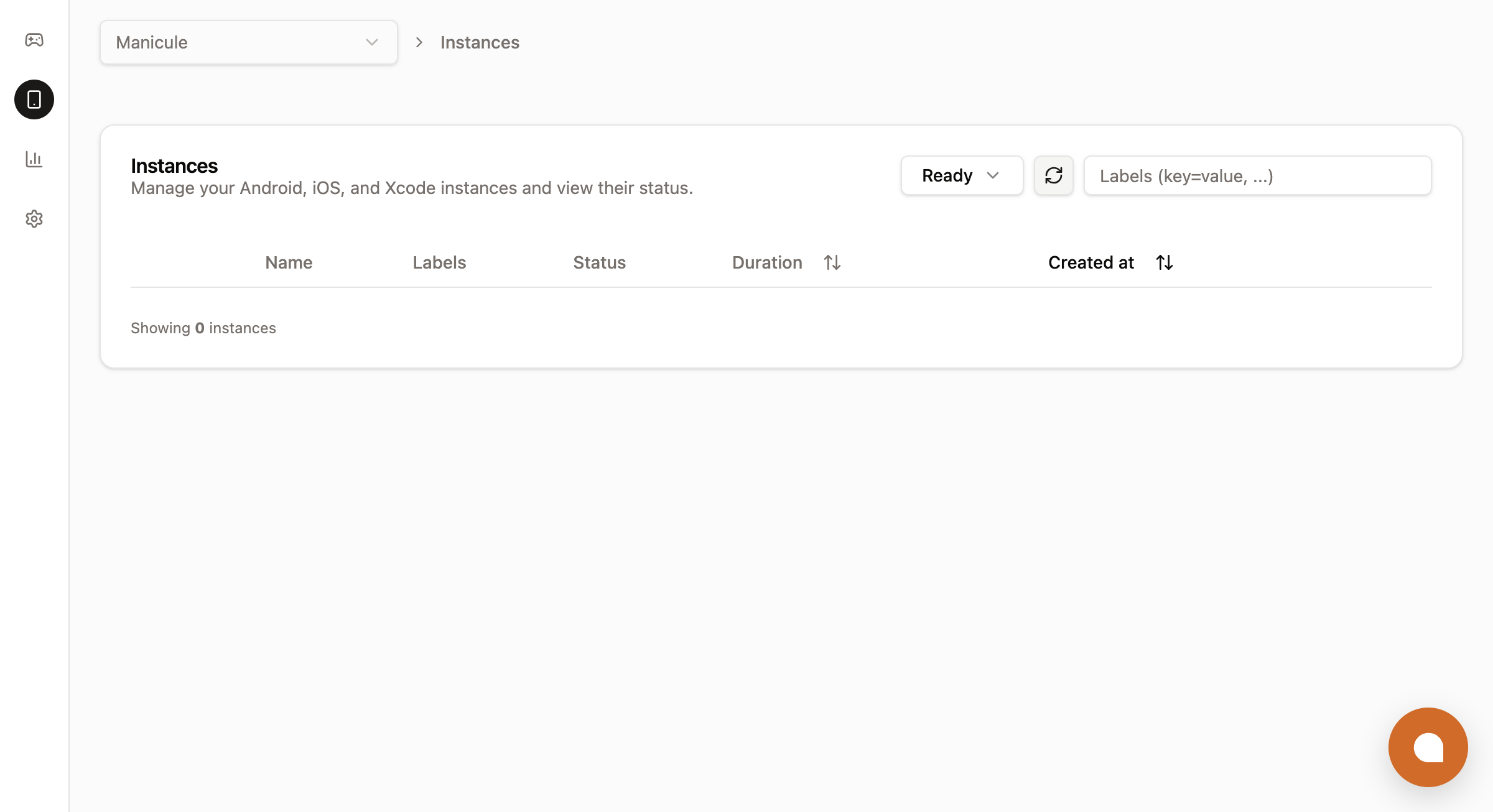
 After a `delete` (or after the inactivity timeout fires), the row disappears from the **Ready** filter. Switching the filter to **All** shows the same instance in `terminated` state until it ages out:
 ## Configure the instance
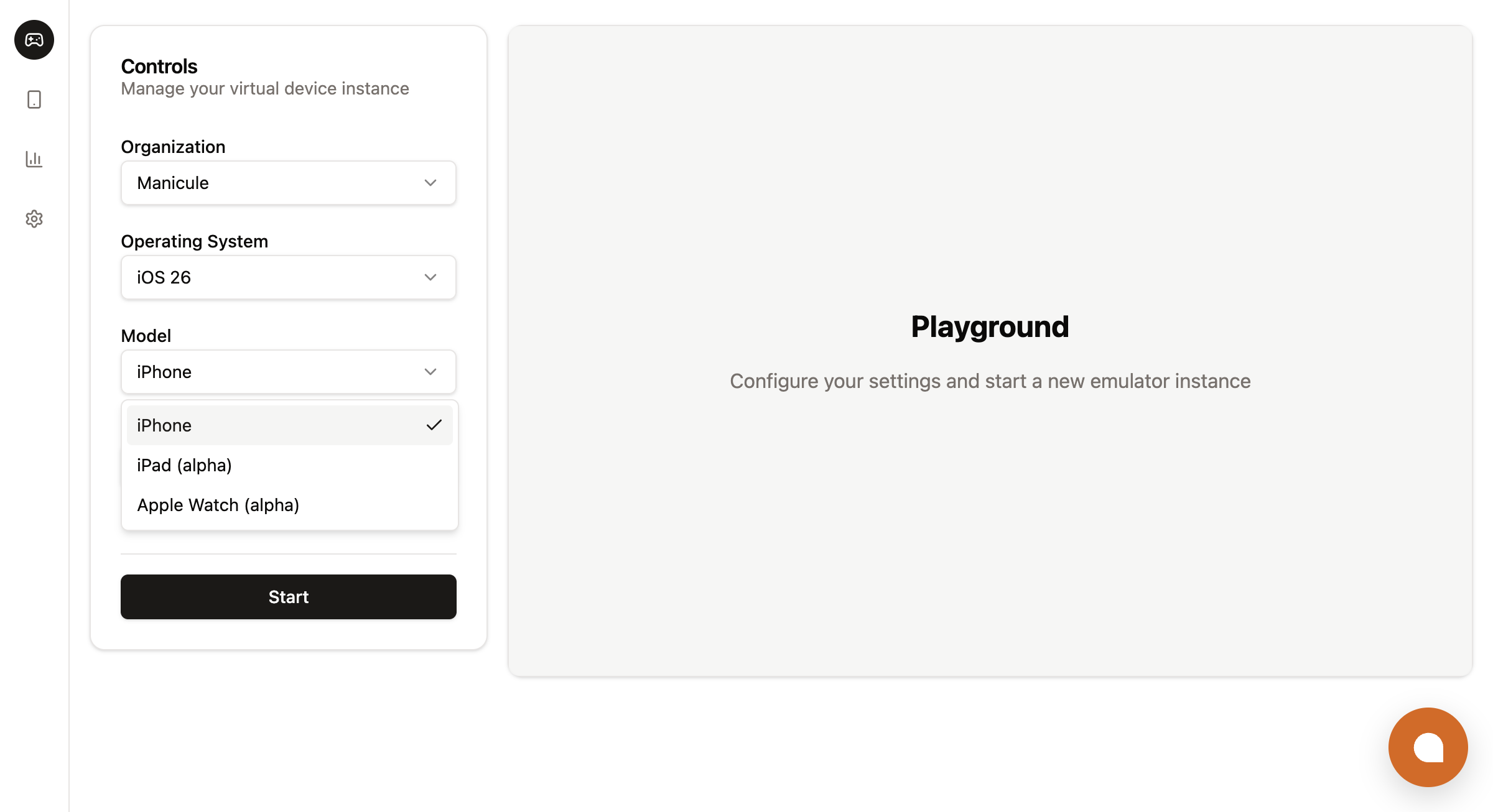
By default, instances are an iPhone in a nearby region with a server-applied inactivity timeout. To pick a different model, pin a region, pre-install an app, or attach an Xcode build sandbox, pass `spec.*` at create time:
```ts
const instance = await lim.iosInstances.create({
wait: true,
reuseIfExists: true,
metadata: {
labels: { app: 'my-app', session: 'demo' },
},
spec: {
model: 'iphone', // 'iphone' | 'ipad' | 'watch'
region: 'us-west',
inactivityTimeout: '10m', // '1m' | '10m' | '3h' | ...
hardTimeout: '0', // '0' = no hard cap
clues: [{ kind: 'ClientIP', clientIp: '203.0.113.42' }],
initialAssets: [
{ kind: 'App', source: 'AssetName', assetName: 'my-app-build.zip', launchMode: 'ForegroundIfRunning' },
],
sandbox: { xcode: { enabled: true } },
},
});
```
```python
instance = client.ios_instances.create(
wait=True,
reuse_if_exists=True,
metadata={"labels": {"app": "my-app", "session": "demo"}},
spec={
"model": "iphone", # "iphone" | "ipad" | "watch"
"region": "us-west",
"inactivity_timeout": "10m",
"hard_timeout": "0",
"clues": [{"kind": "ClientIP", "client_ip": "203.0.113.42"}],
"initial_assets": [
{
"kind": "App",
"source": "AssetName",
"asset_name": "my-app-build.zip",
"launch_mode": "ForegroundIfRunning",
},
],
"sandbox": {"xcode": {"enabled": True}},
},
)
```
```go
// The Go SDK does not expose `model` on the create params yet.
// Instances default to iPhone. To pick iPad or Apple Watch, use the CLI or REST.
instance, err := lim.IosInstances.New(ctx, limrun.IosInstanceNewParams{
Wait: param.NewOpt(true),
ReuseIfExists: param.NewOpt(true),
Metadata: limrun.IosInstanceNewParamsMetadata{
Labels: map[string]string{"app": "my-app", "session": "demo"},
},
Spec: limrun.IosInstanceNewParamsSpec{
Region: param.NewOpt("us-west"),
InactivityTimeout: param.NewOpt("10m"),
HardTimeout: param.NewOpt("0"),
Sandbox: limrun.IosInstanceNewParamsSpecSandbox{
Xcode: limrun.IosInstanceNewParamsSpecSandboxXcode{
Enabled: param.NewOpt(true),
},
},
},
})
```
Or from the CLI:
```bash
lim ios create --reuse-if-exists \
--model iphone \
--region us-west \
--inactivity-timeout 10m \
--label app=my-app --label session=demo \
--install-asset my-app-build.zip \
--xcode
```
### `spec` reference
| Field | Type | Meaning |
|---|---|---|
| `model` | `'iphone' \| 'ipad' \| 'watch'` | Apple Simulator model. Defaults to `iphone`. |
| `region` | string | Pin region (e.g. `us-west`). Otherwise scheduled by clues + availability. |
| `inactivityTimeout` | duration string | `1m`, `10m`, `3h`. Default comes from your org settings. Passing `0` is equivalent to omitting it. |
| `hardTimeout` | duration string | Forced termination. Default `0` = no hard cap. |
| `clues` | array | Scheduling hints. `{ kind: 'ClientIP', clientIp }` picks a region close to the end user. |
| `initialAssets` | array | Apps to install at boot. See [Asset Storage](/docs/platform/asset-storage). |
| `sandbox.xcode.enabled` | boolean | Attach an Xcode build sandbox. See [Build with remote Xcode](/docs/ios/build-with-xcode). |
`metadata.labels` is free-form `key=value` and powers `reuseIfExists`, listing, and cleanup queries.
**For platform integrators:** pass the end user's IP as a `ClientIP` clue (`clues: [{ kind: 'ClientIP', clientIp: '203.0.113.42' }]`). The scheduler places the instance in a region close to that IP, which is the difference between a snappy embedded simulator and a laggy one across continents.
## Configure the instance
By default, instances are an iPhone in a nearby region with a server-applied inactivity timeout. To pick a different model, pin a region, pre-install an app, or attach an Xcode build sandbox, pass `spec.*` at create time:
```ts
const instance = await lim.iosInstances.create({
wait: true,
reuseIfExists: true,
metadata: {
labels: { app: 'my-app', session: 'demo' },
},
spec: {
model: 'iphone', // 'iphone' | 'ipad' | 'watch'
region: 'us-west',
inactivityTimeout: '10m', // '1m' | '10m' | '3h' | ...
hardTimeout: '0', // '0' = no hard cap
clues: [{ kind: 'ClientIP', clientIp: '203.0.113.42' }],
initialAssets: [
{ kind: 'App', source: 'AssetName', assetName: 'my-app-build.zip', launchMode: 'ForegroundIfRunning' },
],
sandbox: { xcode: { enabled: true } },
},
});
```
```python
instance = client.ios_instances.create(
wait=True,
reuse_if_exists=True,
metadata={"labels": {"app": "my-app", "session": "demo"}},
spec={
"model": "iphone", # "iphone" | "ipad" | "watch"
"region": "us-west",
"inactivity_timeout": "10m",
"hard_timeout": "0",
"clues": [{"kind": "ClientIP", "client_ip": "203.0.113.42"}],
"initial_assets": [
{
"kind": "App",
"source": "AssetName",
"asset_name": "my-app-build.zip",
"launch_mode": "ForegroundIfRunning",
},
],
"sandbox": {"xcode": {"enabled": True}},
},
)
```
```go
// The Go SDK does not expose `model` on the create params yet.
// Instances default to iPhone. To pick iPad or Apple Watch, use the CLI or REST.
instance, err := lim.IosInstances.New(ctx, limrun.IosInstanceNewParams{
Wait: param.NewOpt(true),
ReuseIfExists: param.NewOpt(true),
Metadata: limrun.IosInstanceNewParamsMetadata{
Labels: map[string]string{"app": "my-app", "session": "demo"},
},
Spec: limrun.IosInstanceNewParamsSpec{
Region: param.NewOpt("us-west"),
InactivityTimeout: param.NewOpt("10m"),
HardTimeout: param.NewOpt("0"),
Sandbox: limrun.IosInstanceNewParamsSpecSandbox{
Xcode: limrun.IosInstanceNewParamsSpecSandboxXcode{
Enabled: param.NewOpt(true),
},
},
},
})
```
Or from the CLI:
```bash
lim ios create --reuse-if-exists \
--model iphone \
--region us-west \
--inactivity-timeout 10m \
--label app=my-app --label session=demo \
--install-asset my-app-build.zip \
--xcode
```
### `spec` reference
| Field | Type | Meaning |
|---|---|---|
| `model` | `'iphone' \| 'ipad' \| 'watch'` | Apple Simulator model. Defaults to `iphone`. |
| `region` | string | Pin region (e.g. `us-west`). Otherwise scheduled by clues + availability. |
| `inactivityTimeout` | duration string | `1m`, `10m`, `3h`. Default comes from your org settings. Passing `0` is equivalent to omitting it. |
| `hardTimeout` | duration string | Forced termination. Default `0` = no hard cap. |
| `clues` | array | Scheduling hints. `{ kind: 'ClientIP', clientIp }` picks a region close to the end user. |
| `initialAssets` | array | Apps to install at boot. See [Asset Storage](/docs/platform/asset-storage). |
| `sandbox.xcode.enabled` | boolean | Attach an Xcode build sandbox. See [Build with remote Xcode](/docs/ios/build-with-xcode). |
`metadata.labels` is free-form `key=value` and powers `reuseIfExists`, listing, and cleanup queries.
**For platform integrators:** pass the end user's IP as a `ClientIP` clue (`clues: [{ kind: 'ClientIP', clientIp: '203.0.113.42' }]`). The scheduler places the instance in a region close to that IP, which is the difference between a snappy embedded simulator and a laggy one across continents.
 ## Next steps
Produce the build that gets installed onto the simulator.
Ship every PR with a built app and a live preview link, straight from a GitHub workflow.
Render the simulator in your web app with ``.
StoreKit local testing without an Apple Account or sandbox tester (advanced).
## Next steps
Produce the build that gets installed onto the simulator.
Ship every PR with a built app and a live preview link, straight from a GitHub workflow.
Render the simulator in your web app with ``.
StoreKit local testing without an Apple Account or sandbox tester (advanced).